

 Rentorzo Team
In this article
- Why students in Bangalore and Chennai rent laptops
- Renting vs buying a laptop as a student
- Laptop specs explained: what students actually need
- Which laptop should a student rent?
- Course vs laptop: quick guide
- Laptop for online exams on rent
- Semester and internship laptop rental: picking a plan
- Checklist before you rent a laptop as a student
- Common mistakes students make when renting a laptop
- Student laptop rental in Bangalore
- Student laptop rental in Chennai
- How to rent a laptop as a student
- How to look after a rented laptop
- Student laptop rental: FAQs
Laptop on rent for students in Bangalore and Chennai from ₹1,499/month. Pick an i5, MacBook or gaming laptop for your course, delivered to your hostel.
Many students only need a laptop for one course, an internship or a placement season, and a new machine can cost more than a semester's fees. Renting gives you a reliable, business-grade laptop for exactly as long as you need it, delivered to your hostel, PG or home. This guide explains how student laptop rental in Bangalore and Chennai works, which specs actually matter for your course, and the mistakes to avoid before you pay.
Why students in Bangalore and Chennai rent laptops
- Affordable monthly rent. Plans start from ₹1,499/month, so there is no large upfront payment at the start of term.
- Pay only for the months you need. 3, 6 or 12-month plans line up with a semester, an internship or a full academic year.
- No repair worries before deadlines. Servicing and replacement are included for the whole rental. If the laptop develops a fault, we repair or swap it at no extra cost.
- Upgrade when your course demands it. Moving into machine learning or video editing? Swap from an i5 to an i7 mid-rental and the plan is adjusted from the changeover date.
Renting vs buying a laptop as a student
Buying makes sense if you will use the same laptop daily for years and can afford it outright. For most students, though, the need changes from year to year: notes and online classes in first year, 16GB RAM for a final-year project, or a graphics card for a CAD assignment. An intern may need a laptop for six months and nothing after that.
Renting fits these shifting needs better:
- No depreciation risk. A bought laptop loses resale value every year. A rented one simply goes back at the end.
- No repair bills. A failed keyboard or battery in the middle of exams is the rental company's problem, not yours.
- Right machine for each stage. Start with a cheap laptop on rent for basic work and step up only when a course or internship needs more power.
If you want the long version of this argument, read 5 reasons renting a laptop beats buying one.
Laptop specs explained: what students actually need
Processor (CPU)
The processor decides how quickly code compiles, how fast a spreadsheet recalculates and how smoothly a video export runs. A Core i5 from the 8th to 11th generation is plenty for most coursework. A Core i7 (11th to 13th Gen) helps with heavy compiling, virtual machines, data analysis and editing.
RAM (memory)
RAM is how many things you can keep open at once. 8GB is fine for documents, browsing and online classes. For coding, 16GB is the sweet spot: an IDE, a local server, Docker, an Android emulator and twenty browser tabs can easily fill 8GB. Most of our laptops come with 16GB RAM.
Storage (SSD)
Every laptop we rent uses an SSD, which means fast boot times and quick app launches. 256GB suits light users who keep files in the cloud. 512GB is more comfortable for coding projects, datasets and design files, and a 1TB option is available on the top i7 model.
Graphics (GPU)
Business laptops use integrated graphics, which are fine for everyday study. A dedicated graphics card, found on gaming laptops, matters for video editing, 3D modelling, Blender, CAD rendering and GPU-based machine learning.
Which laptop should a student rent?
BCom, BBA, arts and online classes
A Core i5 laptop on rent is more than enough for MS Office, Google Docs, research and Zoom or Teams classes. Choose 8GB RAM for light use or 16GB if you keep many tabs open. The i5 8th Gen with 8GB RAM and 256GB SSD is the most budget-friendly option.
Laptop for engineering, BCA, MCA and B.Tech students
Go for a Core i5 or Core i7 with 16GB RAM and an SSD. Memory matters more than the processor when an IDE, a local server, Docker and a browser run together. The Lenovo ThinkPad T14 (i5 11th Gen, 16GB, 512GB) and HP EliteBook 840 G7 (i5 10th Gen, 16GB, 512GB) are popular with students who code.
Laptop for coding on rent and placement preparation
Placement season means coding practice, online assessments, video-call interviews and many open tabs. A 16GB i5 handles this comfortably. For Android development or several containers at once, an i7 such as the Dell Latitude 7420 gives extra headroom.
Laptop for data science and machine learning students
Python, Jupyter notebooks, pandas and scikit-learn run well on a Core i7 with 16GB RAM. If your projects train neural networks with CUDA, a gaming laptop with an NVIDIA RTX 3050 is the better choice, since many deep-learning libraries can use NVIDIA GPUs to speed up training.
Laptop for architecture and design students
AutoCAD, Revit, SketchUp and rendering tools benefit from a dedicated GPU, so a gaming laptop on rent is the practical pick. Note that AutoCAD and SolidWorks are mainly Windows applications (SolidWorks does not run on macOS), so architecture and mechanical students should choose Windows. A MacBook Air M1 or M2 on rent is excellent for Figma, UI design and long battery life on campus.
Laptop for video editing students
Premiere Pro, DaVinci Resolve and After Effects export much faster with a dedicated graphics card, so the RTX 3050 gaming laptop is a strong option. If you edit in Final Cut Pro, rent a MacBook Air M2 or a MacBook Pro.
iOS app development
You need macOS for Xcode, so rent a MacBook. The M1 Air handles Xcode and the iOS simulator well for student projects. Compare the two platforms in MacBook Air M1 vs Windows i5 laptop.
Course vs laptop: quick guide
| Course or use | Recommended rental |
|---|---|
| BCom, BBA, arts, online classes | Core i5, 8–16GB RAM |
| Engineering, BCA, MCA, coding | Core i5 or i7, 16GB RAM, SSD |
| Placement preparation, internships | Core i5 with 16GB RAM |
| Data science and machine learning | Core i7 with 16GB RAM, or an RTX gaming laptop |
| Video editing, animation, Blender | RTX 3050 gaming laptop or MacBook Air M2 |
| Architecture and CAD | Gaming laptop with dedicated graphics |
| iOS development | MacBook Air M1 or M2 |
Laptop for online exams on rent
Online exams and proctored tests usually need a working webcam, a microphone, a stable browser and sometimes a specific lockdown or proctoring app. Business laptops such as the ThinkPad, EliteBook and Latitude ranges have built-in webcams and microphones. Windows laptops ship with licensed Windows, so most Windows-only exam software will install normally. Install and test any required exam app a few days before the test, and contact the team early if something does not work.
Semester and internship laptop rental: picking a plan
- 3-month plan: a short internship, a project phase or placement season.
- 6-month plan: one full semester, or a longer internship.
- 12-month plan: a full academic year, with the lowest monthly rent.
The minimum plan is 3 months. If you need a laptop for a shorter period, contact the team. A one-time refundable security deposit is shown before you pay and is returned at the end of the rental once the laptop comes back in working order.
Checklist before you rent a laptop as a student
- List the software your course needs and check whether it is Windows-only or macOS-only.
- Decide on RAM first: 16GB for coding, data or design work.
- Check whether you need a dedicated GPU (CAD, editing, 3D, deep learning).
- Match the plan length to your semester or internship dates.
- Keep Aadhaar, PAN and an address proof for your delivery address ready for KYC.
- Enter your hostel or PG PIN code at checkout to confirm delivery.
Common mistakes students make when renting a laptop
- Choosing 8GB RAM for coding. It saves a little each month but slows you down once projects grow.
- Renting a MacBook for Windows-only software. Check AutoCAD, SolidWorks and exam apps before choosing macOS.
- Picking a gaming laptop when you do not need a GPU. For notes, coding and exams, an i5 business laptop is lighter, cheaper and has better battery life.
- Not backing up. Every laptop is wiped after return, so files left on it are gone.
Student laptop rental in Bangalore
We deliver to hostels, PGs and homes across Bangalore, including Koramangala, BTM Layout, HSR Layout, Jayanagar, J.P. Nagar, Electronic City, Marathahalli, Bellandur, Whitefield, Indiranagar, Yelahanka, R.T. Nagar, C.V. Raman Nagar and Rajarajeshwari Nagar. If you are searching for a laptop on rent near me, enter your PIN code at checkout to confirm.
- i5 laptop on rent in Bangalore: the best-value student choice
- MacBook on rent in Bangalore
- Gaming laptop on rent in Bangalore for design and editing courses
Student laptop rental in Chennai
In Chennai we deliver to Guindy, Velachery, Anna Nagar, T. Nagar, Adyar, Besant Nagar, Porur, Ambattur, Ashok Nagar, K.K. Nagar and along OMR, including Perungudi, Thoraipakkam, Sholinganallur and Siruseri.
Stock of MacBooks varies by city, so check the product page for your city before you decide.
How to rent a laptop as a student
- Choose your laptop from laptop rental in Bangalore or laptop rental in Chennai.
- Select a 3, 6 or 12-month plan. Longer plans mean lower monthly rent.
- Complete KYC online with your Aadhaar, PAN and an address proof for the delivery address, such as a recent gas or internet bill. The team will tell you if anything else is needed.
- Receive your laptop at your hostel, PG or home, usually within 24–48 hours of KYC approval.
- Return it when you are done and get your refundable deposit back.
How to look after a rented laptop
- Back up everything. Use Google Drive, OneDrive or GitHub. Laptops are wiped before the next customer.
- Manage heat. Use the laptop on a desk or table, not on a bed or pillow, so the vents stay clear.
- Look after the battery. Avoid leaving it at 0% for long periods, and unplug occasionally if it sits on the charger all day.
- Report faults early. Servicing is included, so there is no need to struggle before an exam.
Student laptop rental: FAQs
Can students rent a laptop in Bangalore and Chennai?
Yes. Students can rent with standard online KYC: Aadhaar, PAN and an address proof for the delivery address. Plans start at 3 months.
What is the cheapest laptop on rent for students?
Core i5 Windows laptops are our most affordable laptops, and rental plans start from ₹1,499/month. Every product page shows the exact rent before you pay.
What is the laptop rent per month for students?
Rent depends on the model and plan length. Plans start from ₹1,499/month, and 6 or 12-month plans lower the monthly rent.
Can I rent a laptop for one month for exams?
The shortest standard plan is 3 months. For a shorter need, contact the team and we will see what we can do.
Which laptop is best on rent for engineering students?
A Core i5 or i7 with 16GB RAM and an SSD suits most engineering and coding work. Choose a gaming laptop if your branch uses CAD, simulation or rendering software that benefits from a dedicated GPU.
Can I rent a MacBook as a student?
Yes. MacBook Air M1, MacBook Air M2 and MacBook Pro models are available to rent, with stock varying by city. A MacBook is essential if you need Xcode for iOS development.
Do you deliver to hostels and PGs?
Yes. We deliver to hostels, PGs and homes across Bangalore and Chennai. Enter your PIN code at checkout to confirm.
What happens if my rented laptop stops working during exams?
Report the fault to the team. Servicing and replacement are included for the whole rental, so we repair the laptop or swap it at no extra cost.
Can I upgrade my rented laptop later?
Yes. You can move from an i5 to an i7, for example. We swap the machine and adjust your plan from the changeover date.
Related searches
- i5 laptop on rent for students in Bangalore
- i5 laptop on rent for students in Chennai
- i7 laptop on rent for coding in Bangalore
- i7 laptop on rent for coding in Chennai
- MacBook for students on rent in Bangalore
- MacBook for students on rent in Chennai
- Windows laptop on rent in Bangalore
- Windows laptop on rent in Chennai
Starting a new semester? Rent a laptop in Bangalore or Chennai and get it delivered to your hostel, PG or home, usually within 24–48 hours of KYC approval.
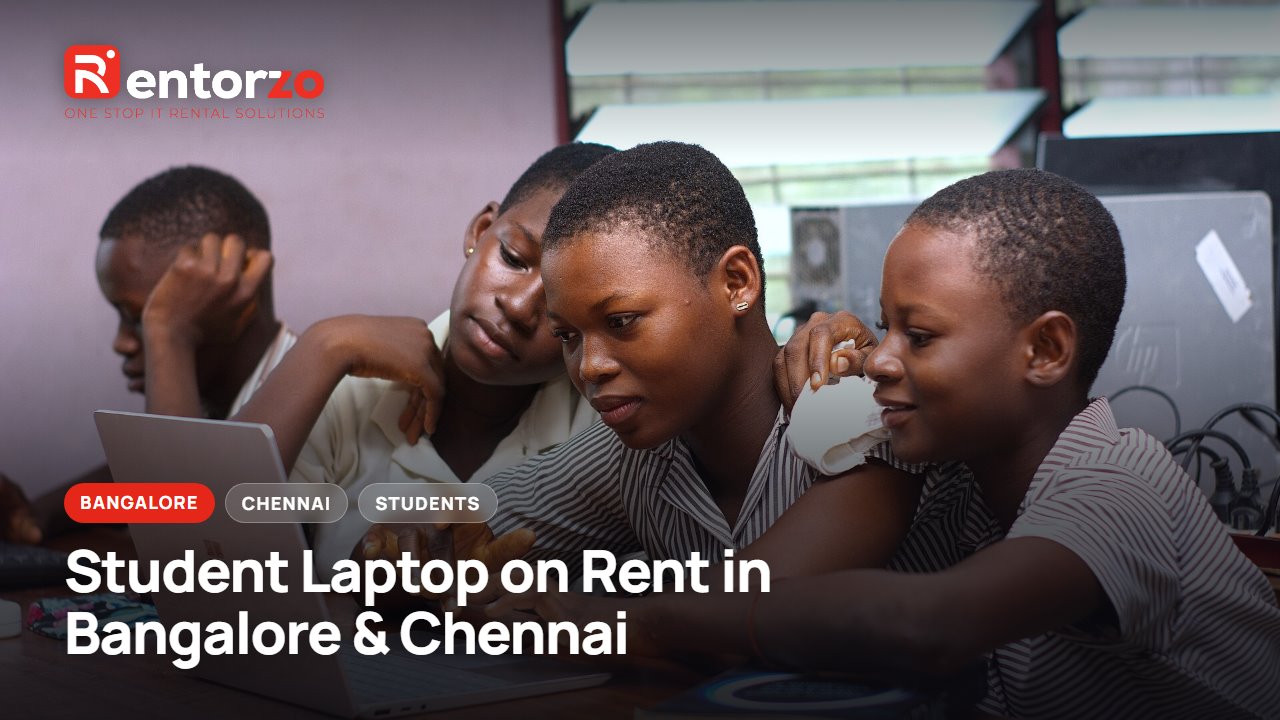
Cover photo: Students using a computer laptop.jpg by Kwameghana(Bright Kwame Ayisi), public domain (CC0), via Wikimedia Commons.